Have you ever finished a long day of work only to find your wrists feel tight or sore? It is a very common frustration for many people today. Most of us spend hours every single day typing away at our desks. We often assume that the discomfort is just a part of the job. However, the real problem is often the way our hands sit while we work.
- •Preparation for Your Ergonomic Upgrade
- •Finding the Best Keyboard Angle for Wrist Comfort
- ◦Checkpoint: How Do Your Wrists Look?
- •Understanding Different Keyboard Tilts
- •Common Mistakes to Avoid
- •Pro Tips for Better Typing
- ◦Testing the Best Keyboard Angle for Wrist Comfort at Home
- ◦FAQ
- ◦Why do keyboards have feet if they are bad for my wrists?
- ◦Is a completely flat keyboard always the best choice?
- ◦Can the wrong keyboard angle cause carpal tunnel syndrome?
- ◦How do I know if my keyboard angle is wrong?
- •Next Steps for Your Workspace
- •Final Thoughts on Ergonomic Success
Small adjustments to your workspace can lead to massive improvements in how you feel. One of the most effective changes involves finding the best keyboard angle for wrist comfort to reduce daily strain. When you align your body correctly, you can work longer without the nagging aches. This guide will help you transform your desk into a much more comfortable space.
You might feel overwhelmed by all the different ergonomic advice available online. It is easy to get confused by technical terms and expensive equipment suggestions. This guide keeps things simple and practical for everyone. By following these steps, you will learn how to set up your keyboard for long-term health. Let us start by looking at what you need to begin this process.
Preparation for Your Ergonomic Upgrade
You do not need a lot of expensive gear to get started. Most of the adjustments involve moving things you already own. First, make sure your chair and desk are at a stable height. If you want to follow basic ergonomic desk setup tips, start with your seat. A good chair provides the foundation for everything else on your desk.
Next, you will need your primary keyboard and a bit of space to move it around. If your keyboard has "feet" on the back, locate them now. You might also want a small towel or a few thin books nearby. These items help you experiment with different heights and angles.
Having a mirror or a friend to watch your posture can also be very helpful. It is hard to see your own wrist angle while you are busy typing. A second pair of eyes ensures you are staying neutral. Now that you are ready, let us dive into the actual adjustment process.
Finding the Best Keyboard Angle for Wrist Comfort
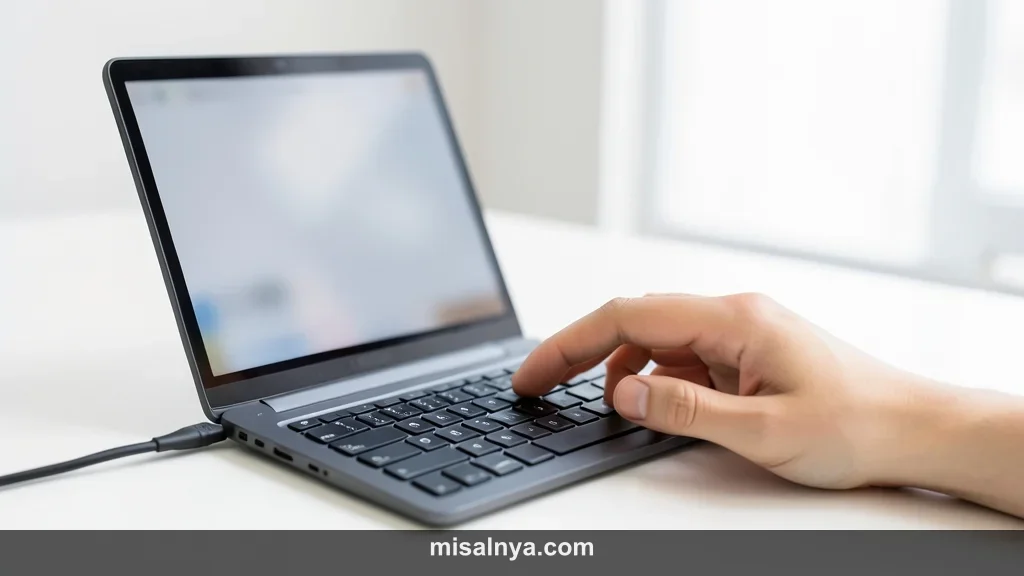
- Check your current elbow and wrist alignment. Sit in your chair with your feet flat on the floor. Place your hands on the keyboard as if you are typing. Look at the line from your elbow to your fingertips. Your wrists should be straight, not bent upward or downward. If your wrists are angled up, you are likely using too much positive tilt. This position puts pressure on the carpal tunnel area.
- Flatten the keyboard completely. Most keyboards come with small plastic feet at the back. Many people flip these out immediately. This creates a positive tilt that often causes wrist extension. Fold those feet back in so the keyboard sits flat on the desk. This is often the first step toward the best keyboard angle for wrist comfort for most users.
- Experiment with a negative tilt. A negative tilt means the front of the keyboard is higher than the back. This sounds strange, but it keeps wrists in a very natural position. You can achieve this by placing a small prop under the front edge. Some ergonomic desks have trays that tilt downward. This position is especially helpful if you sit higher than your desk surface.
- Adjust your seat height to match the desk. Your keyboard angle depends heavily on your elbow height. If your seat is too low, you will naturally bend your wrists up. Raise your chair until your elbows are at a 90-degree angle. Your forearms should be parallel to the floor. This makes it easier to maintain a neutral wrist position while you type.
- Test the setup with a typing exercise. Open a blank document and type for five minutes. Do not think too much about your hands. Just type naturally and see how they feel. If you feel any pinching or tightness, the angle is not right yet. You are looking for a "floating" sensation where your hands feel light.
Checkpoint: How Do Your Wrists Look?
After making these changes, take a moment to observe your posture. Your wrists should look like a straight extension of your forearms. There should be no deep creases in the skin at the top of your wrist. If you see creases, your hands are tilted back too far. Reaching the best keyboard angle for wrist comfort means your hands are almost level with the keys.
Understanding Different Keyboard Tilts
The way a keyboard sits can change the pressure on your nerves. Most standard keyboards are designed with a slight upward slope. This design was actually meant to help people see the keys better. It was not originally designed for long-term physical comfort.
According to research on computer workstation ergonomics, neutral is always best. A neutral wrist is one that is not flexed or extended. When you use the best keyboard angle for wrist comfort, you minimize the work your muscles have to do.
| Tilt Type | Wrist Position | Recommended Use |
|---|---|---|
| Positive Tilt | Extended (Bent Up) | Rarely recommended for long use. |
| Flat (0 Degrees) | Neutral | Good for most standard desk setups. |
| Negative Tilt | Straight / Neutral | Ideal for standing desks or high chairs. |
Common Mistakes to Avoid

Many people believe that a wrist rest is supposed to support the wrists while typing. This is a very common misconception. You should actually rest the palms of your hands on it, not the wrists themselves. Putting pressure on the underside of your wrist can compress sensitive tissues. Knowing where to place a wrist rest is just as important as the keyboard angle.
Another mistake is keeping the keyboard too far away. If you have to reach forward, your wrists will naturally drop. This creates an awkward angle regardless of how the keyboard is tilted. Keep your keyboard close enough so your elbows stay by your sides. This proximity helps you maintain the best keyboard angle for wrist comfort throughout the day.
Pro Tips for Better Typing
If you use a laptop, the keyboard angle is often fixed. This can be very hard on your body over time. Consider using an external keyboard for your desk setup. This allows you to place the laptop screen at eye level while keeping your hands low. It is a simple way to improve your ergonomics without buying a new computer.
You can also try a split keyboard if you have wide shoulders. Standard keyboards force your wrists to turn outward to meet the keys. This is called ulnar deviation. A split keyboard lets your hands stay in line with your shoulders. This works perfectly alongside the best keyboard angle for wrist comfort to prevent strain.
Testing the Best Keyboard Angle for Wrist Comfort at Home
You do not need to buy a special tray right away. Try using a folded kitchen towel under the front of your keyboard. This creates a DIY negative tilt for testing. If you find that the pain decreases, you might want to invest in a permanent solution. Small, inexpensive wedges are also available for this purpose.
FAQ

Why do keyboards have feet if they are bad for my wrists?
The feet were originally added to help users see the key labels more easily. In the early days of computing, many people were not touch-typists. Raising the back makes the letters more visible. However, for modern users who type for hours, this angle is usually harmful.
Is a completely flat keyboard always the best choice?
For most people sitting at a standard desk, a flat keyboard is much better than a positive tilt. However, a slight negative tilt is often the most ergonomic choice. It depends on your chair height and how you hold your arms.
Can the wrong keyboard angle cause carpal tunnel syndrome?

While many factors contribute to carpal tunnel, repetitive strain is a major one. Typing at an awkward angle puts constant pressure on the median nerve. Finding the best keyboard angle for wrist comfort helps reduce this specific risk factor.
How do I know if my keyboard angle is wrong?
If you feel tingling, numbness, or a dull ache in your wrists, your setup needs adjustment. You should also watch for any redness or swelling. Pain is your body's way of telling you that the current position is not sustainable.
Next Steps for Your Workspace
Once you have fixed your keyboard, look at your mouse. A standard mouse can force your forearm to twist. You might want to explore the best vertical mouse for carpal tunnel to further improve your comfort. Also, check your monitor height to ensure you are not leaning forward.
Take regular breaks to stretch your fingers and wrists. Even the most perfect setup cannot protect you if you never move. Every thirty minutes, stand up and shake out your hands. This keeps blood flowing and prevents muscles from tightening up.
Achieving the best keyboard angle for wrist comfort is a journey of small tweaks. You might not find the perfect spot on the first try. That is perfectly okay. Pay attention to how your body reacts over the next few days. With a little bit of patience, you will create a workspace that supports your health and your productivity. You have already taken the most important step by being proactive about your comfort. Keep experimenting and listening to your body to maintain a pain-free lifestyle.
Beyond the physical tools, stay mindful of the warning signs your body sends. Tingling in the fingertips, a dull ache in the forearm, or a sudden sharpness in the wrist are signals that your current setup needs further adjustment. If these symptoms persist even after you have optimized your keyboard angle and desk height, consider consulting a physical therapist or an ergonomics specialist. Early intervention is the most effective way to prevent long-term repetitive strain injuries from becoming chronic conditions.
Final Thoughts on Ergonomic Success
Ultimately, the goal of finding the best keyboard angle for wrist comfort is to achieve a "neutral" position. This means your wrists should be straight and level, rather than bent upward, downward, or toward the sides. Whether you achieve this through a negative tilt, the addition of a wrist rest, or a complete desk overhaul, the result will be the same: a more sustainable and enjoyable working experience.
Investing time in your ergonomic setup is an investment in your future self. By prioritizing your physical well-being today, you ensure that you can remain productive and pain-free for years to come. Take a moment right now to check your wrist alignment and make that first small adjustment—your body will thank you later.